Pre-Migration Steps — Source Migration: Bitbucket to GitHub
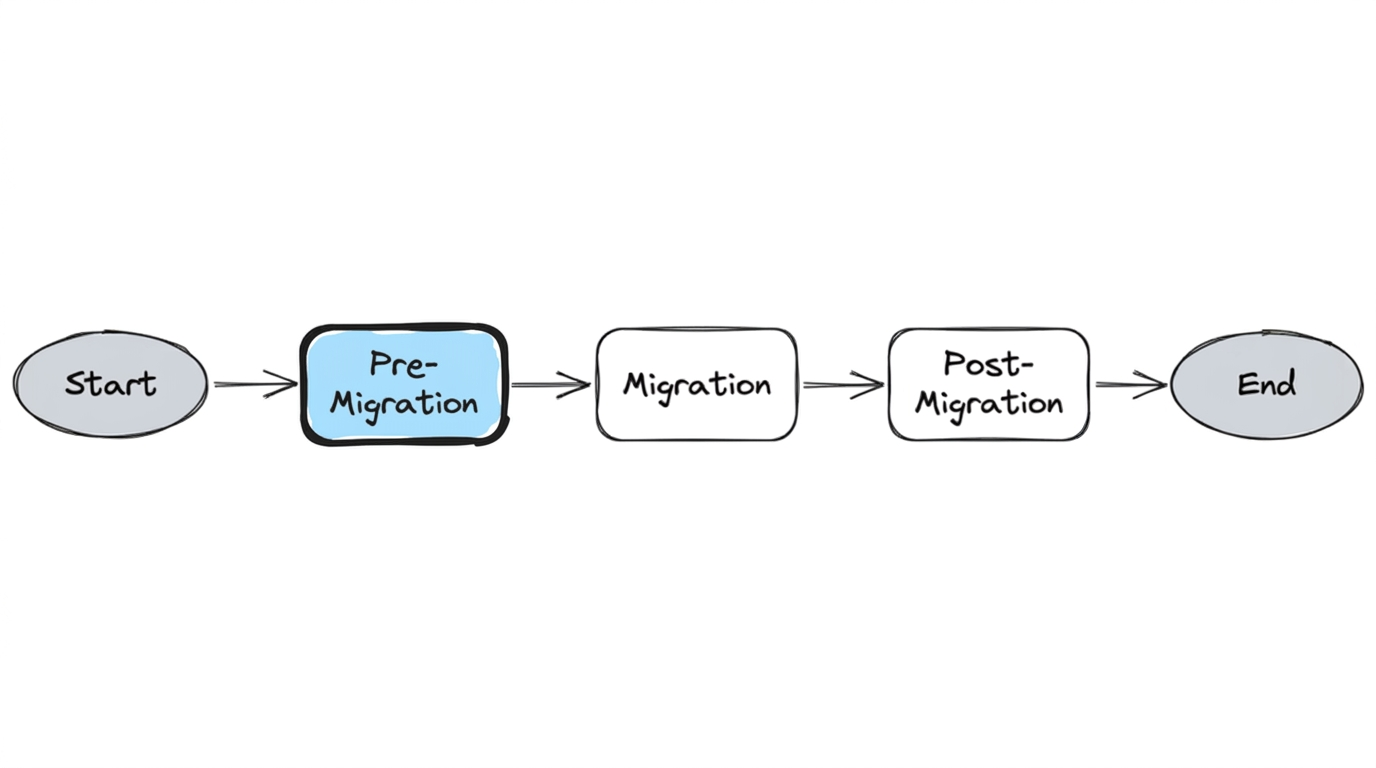
Pre-Migration Steps
Table of Contents
- 1.1 Understanding the Repository Landscape
- 1.2 Repository Analysis and Cleanup
- 1.2.1 Repository stats and analysis
- 1.2.2 Cleanup Approach
- 1.3 Repository Rules
- 1.3.1 Extract
- 1.3.2 Transform
- 1.3.3 Apply
- 1.4 Repository Integrations
- 1.5 Repository Audit : What Actually Needs to Migrate?
- 1.6 Migration Prioritization
- 1.7 Per-Repository Readiness Checklist
1.1 Understanding the Repository Landscape
Before migrating anything, we needed to understand what we were working with. Many repositories had been active for years and accumulated binary files committed before LFS existed, oversized blobs buried in history, and stale branches that nobody had cleaned up. Migrating without addressing these would degrade performance in the new platform and complicate every tool in the chain.
1.2 Repository Analysis and Cleanup
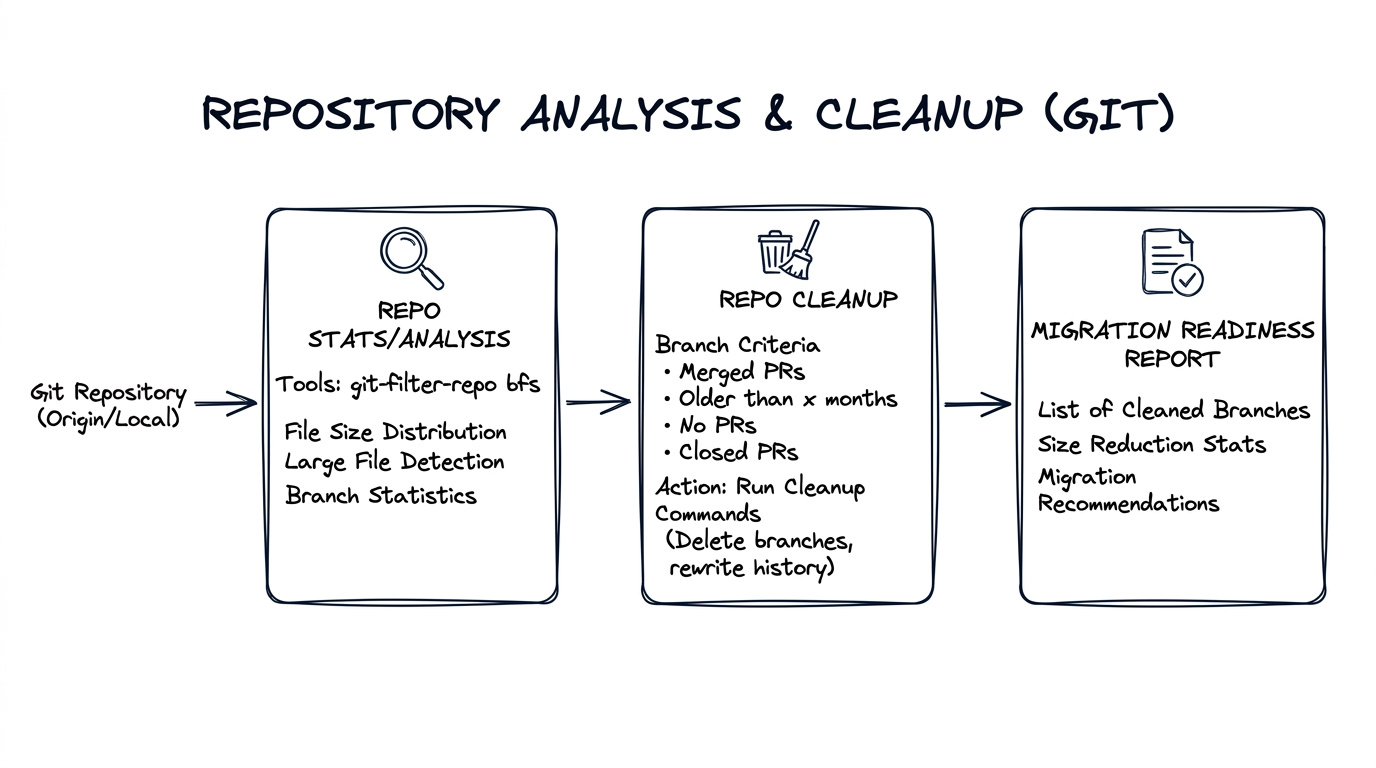
We built tooling to analyze each repository (size, blobs, LFS candidates, branches) and produce a migration readiness report. Repositories that triggered warnings were flagged for remediation.
This analysis was fully automated. All the tools—git-sizer, git-filter-repo, branch/PR/tag stats collection, and submodule detection—were baked into the containerized github-migration-tools Docker image. The Pre-migration analysis workflow invoked this container for each repository and committed results to the workflows repo. See Our Automation for the workflow catalog.
The output was stored under a structured path:
repository-stats/
├── git-sizer.json              # Repository size metrics
├── branch-stats.json           # Branch counts and activity
├── pr-tags-stats.json          # PR and tag counts
└── git-filter-repo/
    └── analysis/
        ├── blob-shas-and-paths.txt
        ├── directories-all-sizes.txt
        ├── directories-deleted-sizes.txt
        ├── extensions-all-sizes.txt
        ├── extensions-deleted-sizes.txt
        ├── path-all-sizes.txt
        ├── path-deleted-sizes.txt
        └── renames.txt
Every repository had its own repository-stats/ folder, committed by a service account bot. This gave us a complete, auditable record of each repo's state before migration—and powered the audit, cleanup decisions, and migration readiness reports described below.
Repo stats/analysis — git-filter-repo, git-sizer, bfs
Branch cleanup — Used APIs from the source server to identify open stale PRs by age; stale branches (those without PRs, or merged but not deleted).
Submodule detection — Identified repositories with .gitmodules referencing Bitbucket URLs. These submodule references would break silently after migration if left unchanged, so they were flagged for post-migration URL updates.
1.2.1 Repository stats and analysis
Running tool git-filter-repo on a large repository produced output like this (abbreviated):
| Metric | Value | Level of concern |
|---|---|---|
| Commits | 233k | |
| Trees (total size) | 5.39 GiB | ** |
| Blobs (total size) | 81.6 GiB | ********* |
| Maximum blob size | 180 MiB | ****************** |
| References (branches) | 1.70k |
The asterisks indicate problem areas. In this case, blobs dominated (81.6 GiB), with one 180 MiB blob—a JDK installer committed to history. Such artifacts became cleanup targets.
1.2.2 Cleanup Approach
Large blobs cleanup approach: For a repository like the one above, we first identified whether large blobs were active in any current or release branches.
If a blob was inactive (not referenced by active branches) — we used git-filter-repo (or equivalent) to delete it from history.
If a blob was in use — we migrated it to Git LFS backed by Artifactory, updated the Git tree to reference the LFS pointer, and removed the actual blob from history so it no longer appeared in the repository.
Note: Generic rules like "strip blobs less than 20MB" are risky: Git LFS and filter tools operate on the Git tree, not on branch semantics. They don't know which branches are active. We had to be careful to distinguish active vs. inactive blobs before acting. Often the culprits were images, small executables, or binaries committed together—individually small, collectively large.
Branch cleanup:
- Identify branches with PRs merged to main or release — delete them
- Identify inactive branches created from main — no activity, safe to remove
- Reflog and gc — run
git reflog expireandgit gcto reclaim space on the source server (not local clones; the server holds the authoritative repository)
Each source code server has its own way of managing Git; the cleaner the source, the better the migration. Some repos could be trimmed from 20GB to 200MB—dramatically improving clone and checkout times. This required close coordination with development teams who owned the repositories—we couldn't rewrite history or remove blobs without their review and sign-off. The effort was worth it, but don't underestimate the communication overhead.
1.3 Repository Rules
Another major challenge surfaced during discovery: repository rules and access models in the source server did not map directly to GitHub.
Rules exist at different scopes—repository-level (local to a repo), team-level, organization-level, and company-level—which makes it easier to reason about and apply them consistently. During extraction and translation, we mapped each rule to its appropriate scope in GitHub.
Over time, repositories had evolved around functional ownership models. Teams typically owned one or more repositories, and Stash enforced repository rules such as:
- Mandatory reviewers tied to specific teams
- Merge permissions and branch restrictions
- Branch protection policies
- Repository-level access controls
A simplified example looked like:
- Team A → service repositories
- Team B → platform repositories
- DB Team → database related files
These rules defined who could merge code, which reviewers were required, and how pull requests were validated.
Why This Step Was Critical
Preserving these review workflows was critical. If repositories migrated without the correct rules, review flows and ownership models would immediately break—developers would lose familiar workflows for merging code, assigning reviewers, and enforcing branch protection. We used an extract–transform–apply approach: pull rules from Bitbucket, normalize into templates, apply via config-driven bots. The sections below describe each step.
1.3.1 Extract
Some metadata lived in the Stash APIs; reviewer rules and permissions were only in the UI. We built a lightweight automation combining REST API queries and targeted UI scraping. The extractor produced a normalized config file containing:
- Repository name
- Owning team(s)
- Mandatory reviewers
- Branch restrictions
- Merge permissions
- Team access mappings
The output looked roughly like:
repository: service-repo-A
owners: team-a
mandatory_reviewers:
  - team-a
branch_rules:
  - main
  - release/*
permissions:
  write: team-a
  read: platform-team
This became the source of truth for translating rules into GitHub constructs.
1.3.2 Transform
Rules varied across repositories. We normalized patterns into reusable templates (team permissions, CODEOWNERS, branch protection) instead of reproducing each repo exactly—reducing operational complexity while preserving review workflows.
1.3.3 Apply
Config-driven bots consumed the generated config and applied rules during bootstrap: creating repository teams, applying branch protection, generating CODEOWNERS, assigning default reviewers, and enforcing merge policies. Rules could be reproduced consistently; future updates required only config changes and a re-run.
1.4 Repository Integrations
Repositories were wired into a broader ecosystem: CI (Bamboo), artifact storage (Artifactory), quality gates (SonarQube), security scan tools, and Bitbucket plugins (merge checks, notification hooks, build triggers). Each integration needed to be evaluated—retain, replace, reimplement, or remove—and mapped for post-migration. In many cases, Bitbucket-specific plugins could be replaced with native GitHub capabilities or lightweight automation.
1.5 Repository Audit: What Actually Needs to Migrate?
Before we could plan migration waves, we needed to answer a more fundamental question: which repositories actually need to migrate now—and which don't?
We ran a full audit across the source server, analyzing every repository for activity signals: last commit date, open pull requests, CI build frequency, release tags, and number of active contributors. The audit surfaced a clear picture:
- Active repositories — Regular commits, open PRs, tied to CI pipelines and production releases. These needed full complex migration with all metadata preserved.
- Low-activity repositories — Occasional commits or maintenance-only. Still needed migration but could move in later waves with less urgency.
- Inactive/archived repositories — No commits in months (or years), no open PRs, no active CI. These were candidates for archival rather than migration—archived in place on the source server or moved as read-only mirrors in a final cleanup phase. In some cases, retention was driven by compliance requirements rather than engineering need.
This audit was critical. Without it, we would have spent migration effort and validation time on repositories that nobody was using. By identifying what was truly active, we reduced the migration scope for the initial weekend push and deferred the rest to a later phase.
1.6 Migration Prioritization
With the audit data in hand, we categorized the active repositories by criticality—commit frequency, release cadence, code churn—into tiers:
- P0 (highly active, shipping to production)
- P1 (moderate activity)
- P2 (low-activity or archival).
P0 repositories migrated first with the most scrutiny; lower-risk repos followed in batches. This tiering let us focus validation effort where it mattered most.
1.7 Per-Repository Readiness Checklist
Before running migration for a repository, gather the following. The analysis workflows (1.2) produce most of this; the rest is planning output:
| Item | Purpose |
|---|---|
| Source repo and stats | Size, blob count, branch count—determines migration readiness and tool limits |
| Number of PRs | Metadata size; bbs2gh has a 10GB metadata limit |
| Number of tags | Part of migration scope |
| User mapping (source → GitHub) | Required for mannequins; map Bitbucket users to GitHub accounts for attribution |
| Destination repo | Target org and repo name in GitHub |
Next: Migration