Building Reliable, Performant Mobile Experiences Across Platforms
Introduction
In modern mobile development and automation, dependencies on server-side implementations—such as APIs, authentication services, and orchestration layers—often slow down progress, especially when building enterprise-grade apps that rely on complex integrations. Mocking these backend services offers a powerful way to decouple development from backend readiness, allowing teams to validate app behavior, performance, and feature coverage through controlled failure injection.
How backend mocking enables reliable, performant mobile experiences across platforms: By using mock servers, teams can simulate real-world scenarios, control response times, and eliminate backend bottlenecks—resulting in faster development cycles and more resilient applications.
Real-World Context: Workspace ONE UEM, Greenbox/Hub Core Services and WS1 HUB
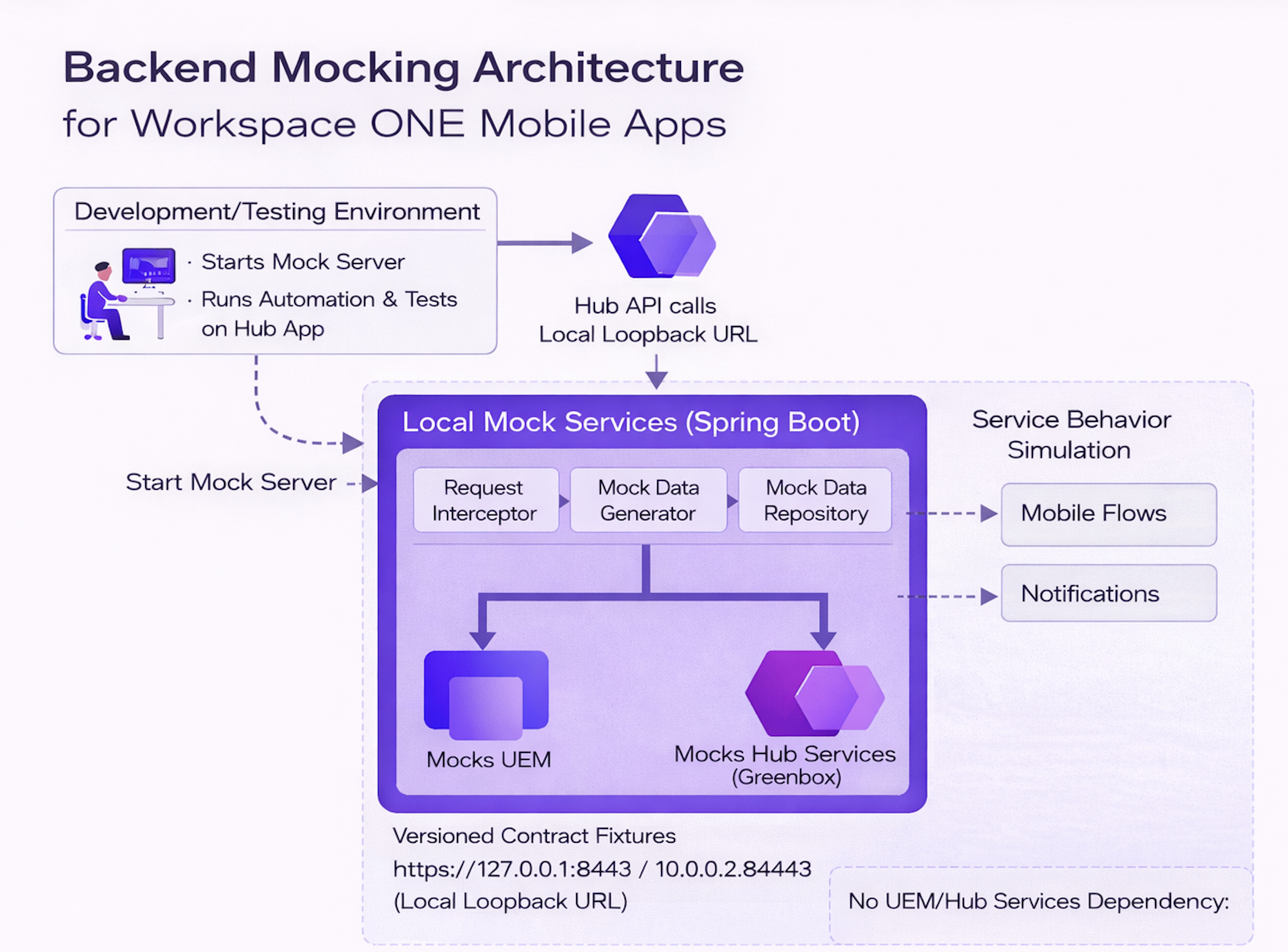
This mocking strategy was implemented in the context of Workspace ONE UEM, a unified endpoint management solution by Omnissa that enables IT to manage all endpoints—mobile, desktop, rugged, and IoT—from a single platform. It was also applied to Greenbox/Hub Core Services, which is one of the core members of Hub Services family, which is responsible for supporting multiple capabilities offered by WS1 Intelligent Hub Platform.
The mobile applications involved included the Android HUB and iOS HUB apps, which serve as enterprise mobility gateways for users to access corporate resources securely. These Hub apps depend on many UEM and Hub APIs—making a stateful mock server essential for simulating full enrollment flows and feature validation. Having successfully implemented this mocking approach for Android and iOS, we are now actively extending it to support the macOS HUB platform as well.
The Bottleneck Blues: Dependencies and Complexities
Picture this: You’re in the midst of building an exciting new feature, but the backend team isn’t ready with the necessary API updates. Or, perhaps you’re struggling to maintain a diverse automation testing environment that encompasses various user types and configurations. These scenarios create dependencies that can bring progress to a screeching halt.
Manually setting up and maintaining these configurations isn’t just tedious—it’s error-prone. Complex backend setups, especially those involving multiple authentication mechanisms (like Active Directory, SAML, and standard logins), can quickly turn into a maintenance nightmare.
Why Mocking Made a Difference
By introducing mocking into our development and testing workflows, we were able to address several recurring challenges:
- Parallel Development Streams: Mobile and backend development can continue as soon as the API contract is defined, even when server-side implementations are in active development. This avoids waiting for unavailable services and speeds up the overall development process.
- Complex feature or environment setups: Setting up environments for certain complex features or scenarios (eg: SCEP/Active directory/SAML etc) requires expertise, and replicating these setups across multiple environments can be a significant effort. API mocking simplifies this process by providing a stable, self-contained environment for testing.
- Environment Inconsistencies: A wide range of test cases can be covered using this approach, where ad-hoc behavior changes can be implemented very easily. For example, it allows for easy testing of various features that appear due to a setting change or even behind a feature flag, such as the type or number of apps to be displayed.
- Performance Bottlenecks: Mocking allowed us to isolate backend latency and give a consistent app performance during automation.
- Resilience Testing: We could simulate server failures and network issues to validate the robustness of various apps under adverse conditions.
These improvements significantly enhanced our ability to deliver reliable and performant mobile experiences across platforms.
We faced several challenges, such as dealing with hardcoded backend configurations, adapting the app’s UI when Hub services are enabled or disabled, and managing complex scenarios like enabling Hub services on already enrolled devices. Testing flows involving the deployment of a large number of applications and intricate configuration combinations across UEM and Hub services often required manual setup and maintenance of complicated, static configs.
To overcome these challenges, we also mocked key backend services provided by Workspace ONE UEM and Greenbox/Hub Core Services. This enabled faster development cycles, consistent and reliable testing environments, and the ability to simulate complex service flows such as secure-channel implementation, Mobile Threat Defense (MTD), and various Workspace ONE SDK settings—ensuring HUB apps could be validated across a wide range of scenarios.
Mocking Your Way to Mobile App Resilience
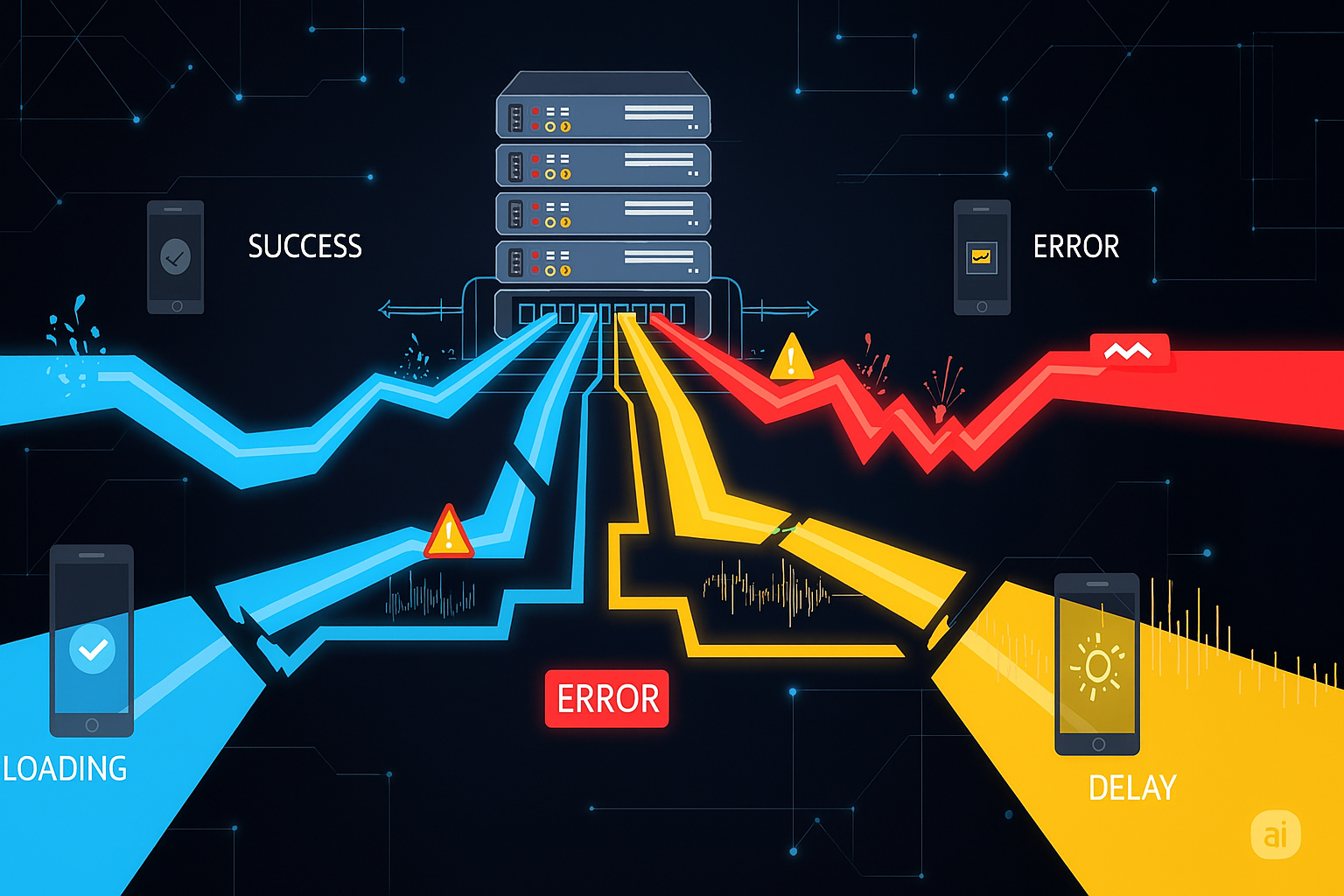
By creating a controlled environment with a mock server, you not only accelerate development by removing backend dependencies but also gain the ability to thoroughly test your app’s resilience. This includes simulating a wide range of failure scenarios for each endpoint your app interacts with, including:
- Server Downtime: What happens if the backend is completely unavailable?
- Error Responses: Can your app gracefully handle
403 Forbidden,429 Too Many Requests, or500 Internal Server Errorresponses? - Slow Network Conditions: Will your app provide a good user experience with high latency or slow connections?
- Unexpected Data Formats: How does your app react to malformed JSON or unexpected data structures?
Mocking empowers you to proactively address these vulnerabilities, ensuring your app delivers a seamless user experience even when the unexpected occurs. This granular, endpoint-specific testing translates to a more robust and reliable mobile app.
Implementing a Spring Boot Mock Server
Why Spring Boot Over Existing Tools?
Before diving into implementation, it's worth addressing: why build a custom Spring Boot server instead of using existing mocking tools?
Tools like WireMock, MockServer, Postman Mock Server, and JSON Server are excellent for many API testing needs. WireMock in particular can model multi-step flows using stateful scenarios and extensions when stubs alone are not enough.
We evaluated that path. For our Workspace ONE enrollment flows, we still chose a dedicated Spring Boot mock because the hard part was not only sequencing responses, but co-locating heavy server-side cryptography, shared in-memory state, and polymorphic handlers in one codebase we could evolve quickly as contracts changed.
Stateful Operations Across Requests: Consider a typical enrollment flow:
- Check-in Request: Device sends a certificate signing request
- Server Response: Mock extracts the certificate and stores it
- Secure Channel Request: Device initiates encrypted communication
- Server Response: Mock retrieves the stored certificate to encrypt the response
Data from request A must be captured, stored, and reused in request B. That is achievable with advanced WireMock usage; we preferred implementing it as ordinary Java services with clear seams for unit tests and debugger-friendly flow.
Complex Cryptographic Operations: Our flows involve BouncyCastle operations (signing, encrypting, certificate chain validation) with platform-specific differences—including CMS-related signing and matching how the on-device SDK consumes certificate material across secure channel calls. Spring Boot gives us full control over these operations with clean, testable code.
Polymorphic Platform Handling: We needed the same endpoint to behave differently for iOS vs Android vs different enrollment modes, loading different configurations without code duplication.
Spring Boot's instance variables, dependency injection, and Java ecosystem made these requirements straightforward, with only 15-20 minutes needed to add a new endpoint.
Accessing the Mock Server
When running your app on an emulator or simulator, you can use a special loopback address to connect to services running on your local machine.
- Android Emulator: Use the address
10.0.2.2or 'localhost'. - iOS Simulator: Use
localhostsince it points directly to your machine.
Dynamic Configurations
Store different response configurations in separate files (e.g., user_A.json, user_B.json). Your Spring Boot server can intelligently select the appropriate file based on request parameters or headers.
Code Example: Spring Boot Endpoint
Here is a simple example of a controller that returns a configuration file based on a userType parameter:
@RestController
public class MockController {
    @GetMapping("/api/config")
    public ResponseEntity<String> getConfig(@RequestParam("userType") String userType) {
        String config = mockOperations.getMockData(userType + "_config.json");
        return ResponseEntity.ok(config);
    }
}
Advantages of this Approach
- Flexibility: Easily tailor and manage mock responses.
- Rapid Iteration: Modify configurations swiftly.
- Local Development: Enhance debugging experience.
- Familiar Framework: Leverages Spring Boot.
Architecture Overview: Scaling Without Duplication
At first glance, mocking dozens of endpoints might seem like a maintenance nightmare. How do we avoid duplicating logic across platforms and enrollment modes?
The solution is polymorphism. Here's how the architecture works:
1. Interface Layer - Define core operations once:
public interface EnrollmentHandler {
    ResponseEntity validateOrganization(String request);
    ResponseEntity getAuthenticationType();
    ResponseEntity registerDevice();
    // ... additional enrollment operations
}
2. Implementation Layer - Multiple implementations for different scenarios:
- Base implementation for standard enrollment flows
- Platform-specific implementations (iOS, Android) handling crypto differences
- Enrollment mode variants (corporate-owned, registered devices, etc.)
- Each loads JSON/XML from its respective config directory
3. Endpoint Layer - REST controllers delegate to the interface:
@PostMapping("/api/enrollment/validate")
public ResponseEntity validate(@RequestBody String request) {
    return handler.validateOrganization(request);  // handler set at runtime
}
The result: Many endpoints, minimal code. Each endpoint is just a thin wrapper that delegates to an interface method. Platform/mode differences are handled by loading different config files, not writing different code.
Adding a New Endpoint (15-20 minutes):
- Add method to
EnrollmentHandlerinterface - Implement it in base class to load a JSON file
- Create JSON files for each scenario in respective config directories
- Add
@PostMappingendpoint in controller that delegates to the interface method
This pattern keeps the codebase maintainable even as endpoints grow.
Secure Mocking with SSL Certificates
If your app communicates with secure https endpoints, you’ll need your mock server to use SSL to accurately simulate the environment.
- Generate a Self-Signed Certificate: Use tools like
OpenSSLorKeytoolto create a self-signed SSL certificate. - Configure Your Mock Server: Configure your Spring Boot server to use the generated certificate for SSL communication.
- Trust the Certificate:
- Android Emulator: Install the certificate in the emulator’s trusted certificates store.
- iOS Simulator: Add the certificate to your Mac’s Keychain Access and mark it as trusted.
Note: You may also need to manually trust the certificate in your browser. Be mindful of expiration dates and be prepared to regenerate certificates as needed.
Simulating Failures with Chaos Monkey Principles

Beyond simulating specific error responses, mocking can be extended to proactively test your app’s robustness by introducing controlled chaos. Inspired by Chaos Monkey principles, this technique allows you to expose APIs on your mock server that dynamically inject failures and network irregularities—giving you deeper insight into how your app behaves under stress.
Programmatic Failure Injection
- Introduce a Delay: Artificially slow down a response to simulate high latency.
- Respond with an Error: Force an endpoint to return a
4xxor5xxerror to test the app's error handling. - Clear the State: Create an endpoint to reset the mock state and restore normal behavior.
Core Logic Example: Injecting Failures
The following logic can be added to your mock endpoints to conditionally introduce delays or errors.
if (enabled) {
    if (delayMs != null && delayMs > 0) {
        try {
            Thread.sleep(delayMs);
        } catch (InterruptedException ignored) {}
    }
    if (forcedStatus != null) {
        if (headers == null) headers = new HttpHeaders();
        return ResponseEntity.status(forcedStatus).headers(headers).body(null);
    }
}
CI/CD Integration
Integrating the mock server into your CI/CD pipeline allows you to run automated tests against a wide range of backend conditions in a controlled and repeatable environment. This ensures every code change is validated for resilience before it reaches users. For mobile projects across platforms (Android, iOS, and beyond), this integration enables you to test for a wide range of scenarios—from introducing intentional delays to simulating real-world server failures—in a consistent, repeatable environment. This would be incredibly difficult to achieve with live backend services alone, giving you confidence that your application remains resilient across all conditions.
Maintainability with Source Control
Treat your mock server as a first-class project by integrating it with your source code management system (e.g., Git).
- Version Control: Every change to your mock configurations is tracked, enabling easy rollbacks.
- Collaboration: Team members can contribute to the mock server codebase, fostering alignment and consistency.
Gaining Consistent Testing and Performance Insights
Using a mock server creates a highly consistent testing environment, which allows you to gain valuable insights into your mobile app’s true performance.
- Consistent Test Runs: With predictable responses, your test results become more reliable and easier to reproduce.
- Precise Performance Measurement: You can accurately measure your app’s UI interactions and rendering times by eliminating backend latency and network interference.
- Pinpoint Backend Bottlenecks: Any significant performance slowdowns when switching from the mock server to the live backend can be traced directly to server-side issues.
Conclusion
Mocking is a game-changer in mobile automation. We move faster with more predictable signals: we can validate client behavior early, exercise edge cases deliberately, and keep performance measurements understandable because the backend is under our control.
We lean on mock-backed automation most when a real environment would demand heavy backend churn—for example IDP/SAML and similar platform-wide configuration changes—and during active development when APIs and contracts are still evolving. Runs are also more repeatable, since we are not constantly fighting shared-environment churn and network noise while trying to judge whether a failure is truly in the app.
By embracing mocking for those high-friction scenarios, we keep development and automation practical without pretending every real-world dependency is easy to reproduce on demand.
Visual References & Attribution
Visuals in this post were generated using AI-based image models powered by large language models (LLMs) to illustrate key concepts.