Migrating UEM's Web Ingress Traffic from AWS VMC to Native AWS
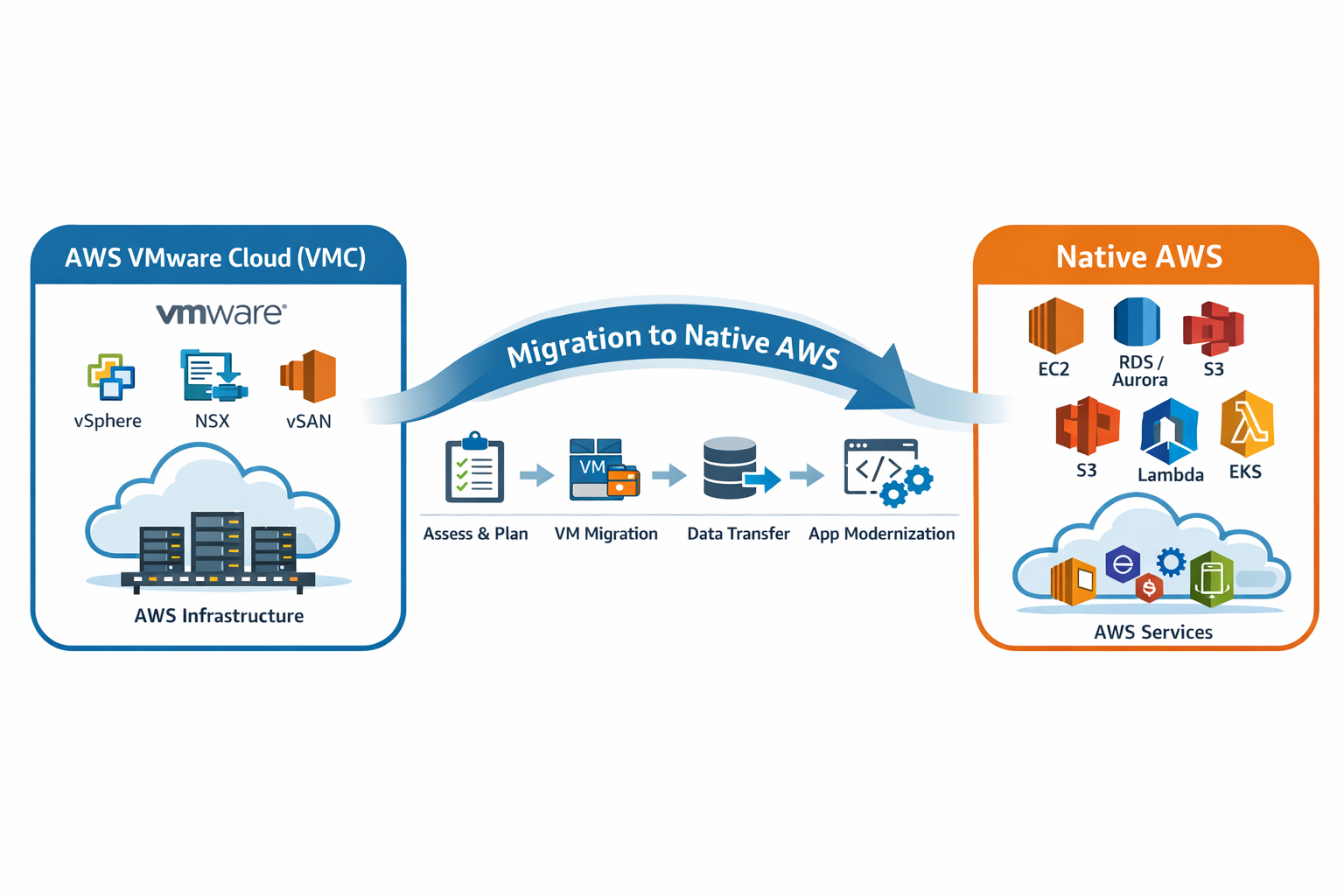
This article is part 2 of the series Migrating UEM from AWS VMC to Native AWS
The Problem
One of the early pain-points with operating a SaaS service in VMC involved the routing of traffic from the public internet to our AVI load balancers. As part of the NSX subsystem, VMC provides an edge gateway which is a virtual machine cluster (without automatic failover) run by VMC that passes traffic from outside of the VMC network into the software-defined network in VMC. There could only be a single edge gateway running, and if something went wrong with it, we had to file a support ticket with the VMC to have their support team manually fail over the gateway. Additionally, it was not configurable beyond providing a t-shirt size setting on how big it would be. This presented a critical failure point in our service and was responsible for several outages in the UEM service when unexpected volumes of traffic would overwhelm the gateway, even on its largest setting.
The Plan
Our team deemed it critical to have some point of control between the internet and this edge gateway. By having control of how much traffic would hit this gateway, we could prevent sudden spikes in traffic from hitting the edge gateway hard enough to knock it over. One option was to use an external service like Cloudflare. Alternatively, we could move our AVI load balancers into the connected-VPC that comes with every VMC deployment which resides in our own AWS account. After pricing each option, we chose to move our AVI load balancers and leverage AWS Shield protection. AWS Shield, our AVI load balancers, and their WAF configurations would be able to block most of the illegitimate traffic that was previously hitting the VMC edge gateway first.
Customer Communications
To accomplish this migration, we first had to communicate our intentions to customers. Many of our customers were explicitly restricting egress from their sites to only a small set of IP addresses associated with our VMC load balancers, and we needed customers to relax such allow lists and filter based on domain instead. Plenty of notice was provided to each of our customers before we cut them over to the new load balancers in AWS.
The Migration
To perform the migration, we broke the process up into the following steps.
-
Ensure the VPC was set up according to our needs (consistent subnet and route tables across regions, managed by terraform)
-
Stand up the new AVI load balancer on public subnets
-
Clone configuration from existing AVI deployments to new AVIs
-
Update environment deployment automation to work with both old and new AVI instances
-
Cut over DNS per environment to point to new load balancers starting with UAT environments and proceeding with Production environments
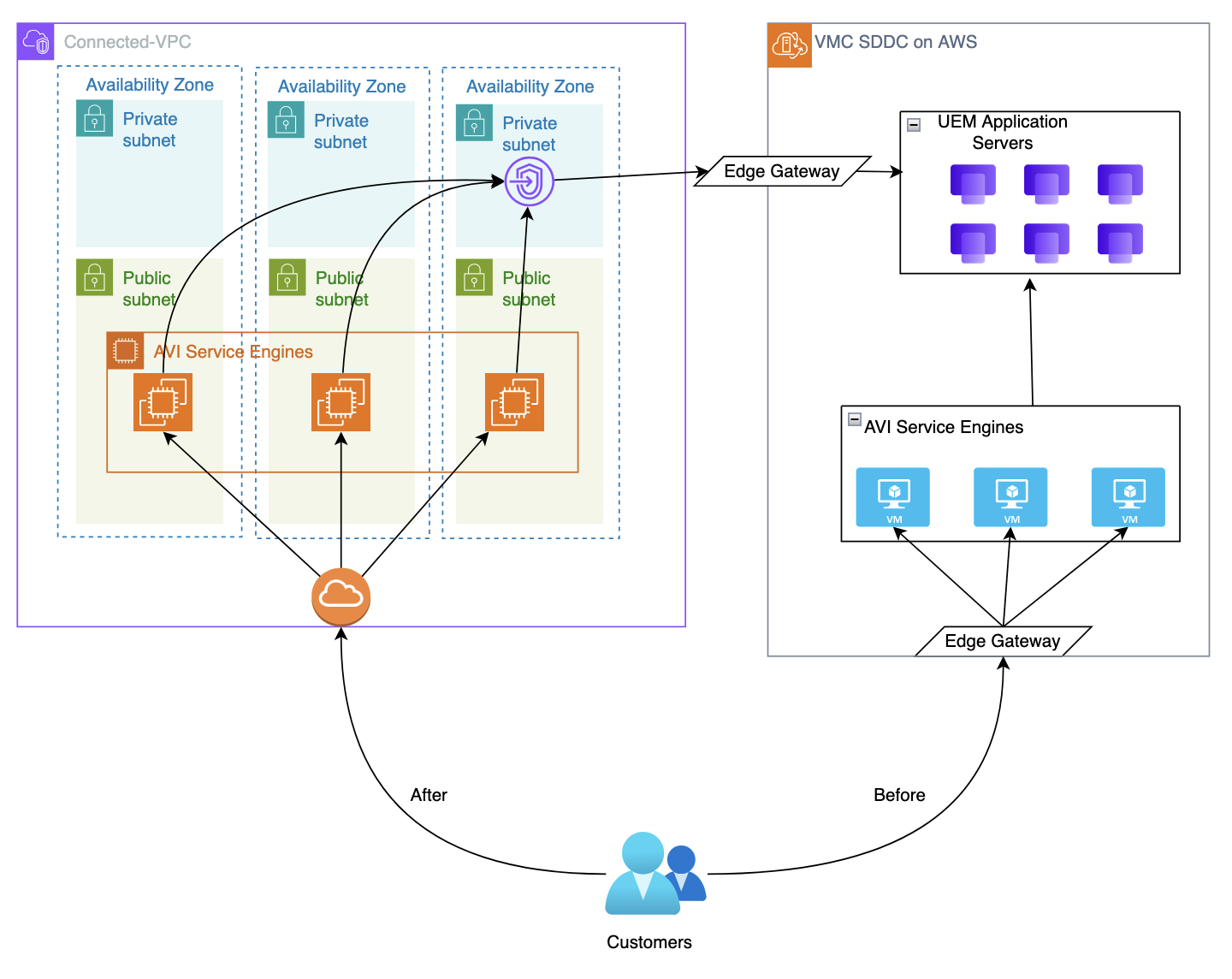
The planning and code changes took a little over a month. We granted significant customer communication lead time and gradually rolled it out to our customers over a couple of months to ensure a disruption-free transition.
Results
This took a significant load off of our edge gateway and lead to the elimination of downtime incidents related to the edge gateway falling over. It also provided a path to gradually move backend services from VMC over to the connected-VPC, further reducing traffic passing through the edge gateway. AVI on EC2 also provided additional capabilities for its service engines that were not available on its ESXi version, including auto-scaling, easy resizing and replacement, and automatic replacement of failed service engines.